Zoom Tip: “Mirror My Video” — what it actually does (and why it matters)
There’s a deceptively simple checkbox in Zoom that quietly shapes how confident you feel on camera: Mirror My Video.
Most people treat it as a cosmetic preference. It’s not. It sits at the intersection of ergonomics, perception, and a well-documented psychological effect that dates back nearly 50 years.
Let’s unpack what it does, why Zoom defaults to it, and when not to use it.
First, what “Mirror My Video” actually does
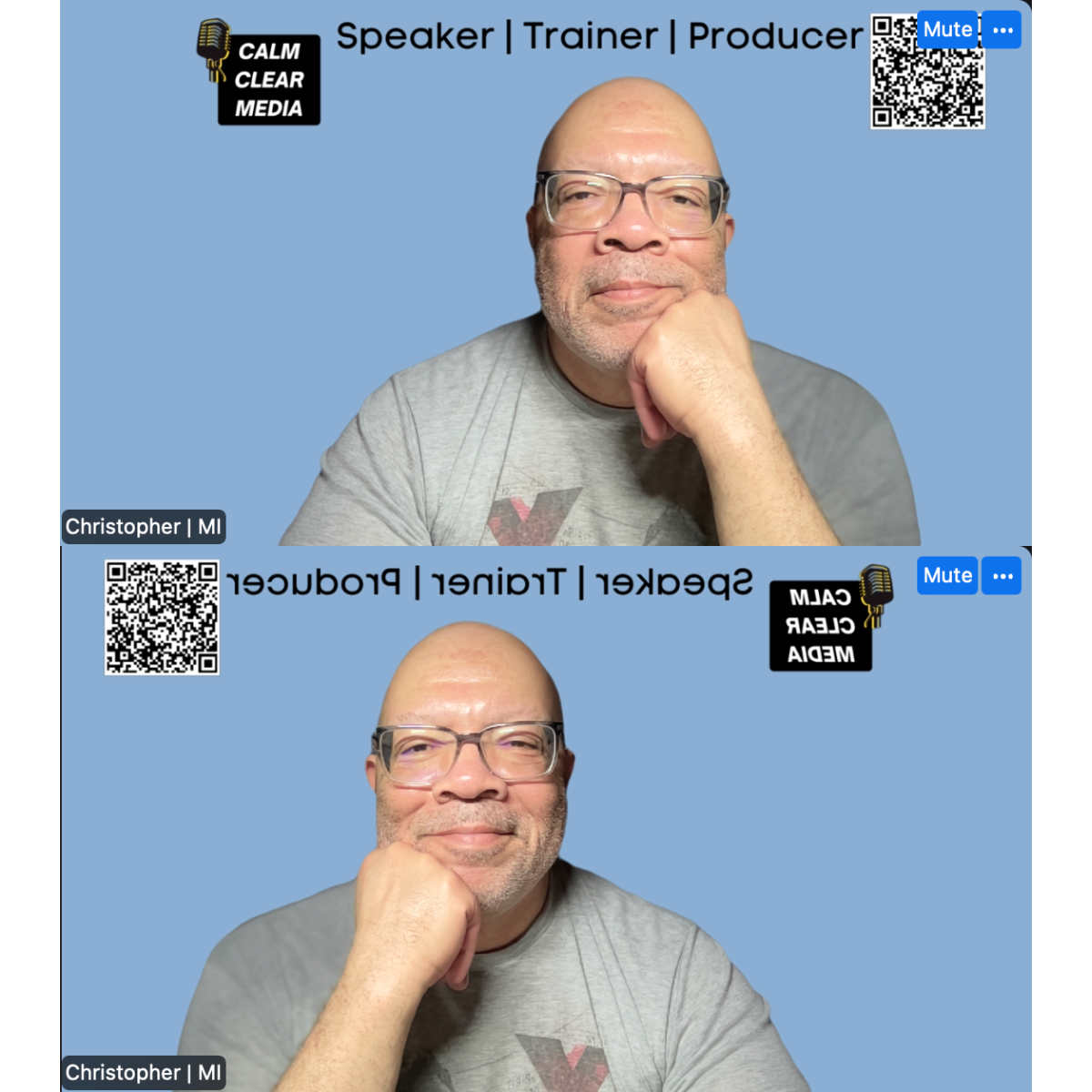
This setting affects only your self-view.
- When ON, your preview behaves like a mirror.
Raise your right hand and it looks like your right hand. Text on your shirt appears reversed to you. - When OFF, your preview matches what others see.
Movements feel flipped compared to a mirror. Text appears readable to you.
Other participants never see the mirrored version.
Not live. Not in recordings. Not in replays.
This distinction alone eliminates most of the anxiety people bring to this setting.
Why Zoom mirrors you by default
Zoom’s default isn’t arbitrary. It aligns with how humans are conditioned to see themselves.
For decades, psychology research has shown that we tend to prefer images of ourselves that match what we see in mirrors, not photographs.
A foundational study here is:
Mita, Dermer, & Knight (1977) — Reversed facial images and the mere-exposure hypothesis
In the study, participants consistently preferred mirror-reversed images of their own faces, while preferring non-reversed images of other people. The explanation is the mere-exposure effect: we like what we are most familiar with.
You see your own face thousands of times in mirrors.
You almost never see it the way others do.
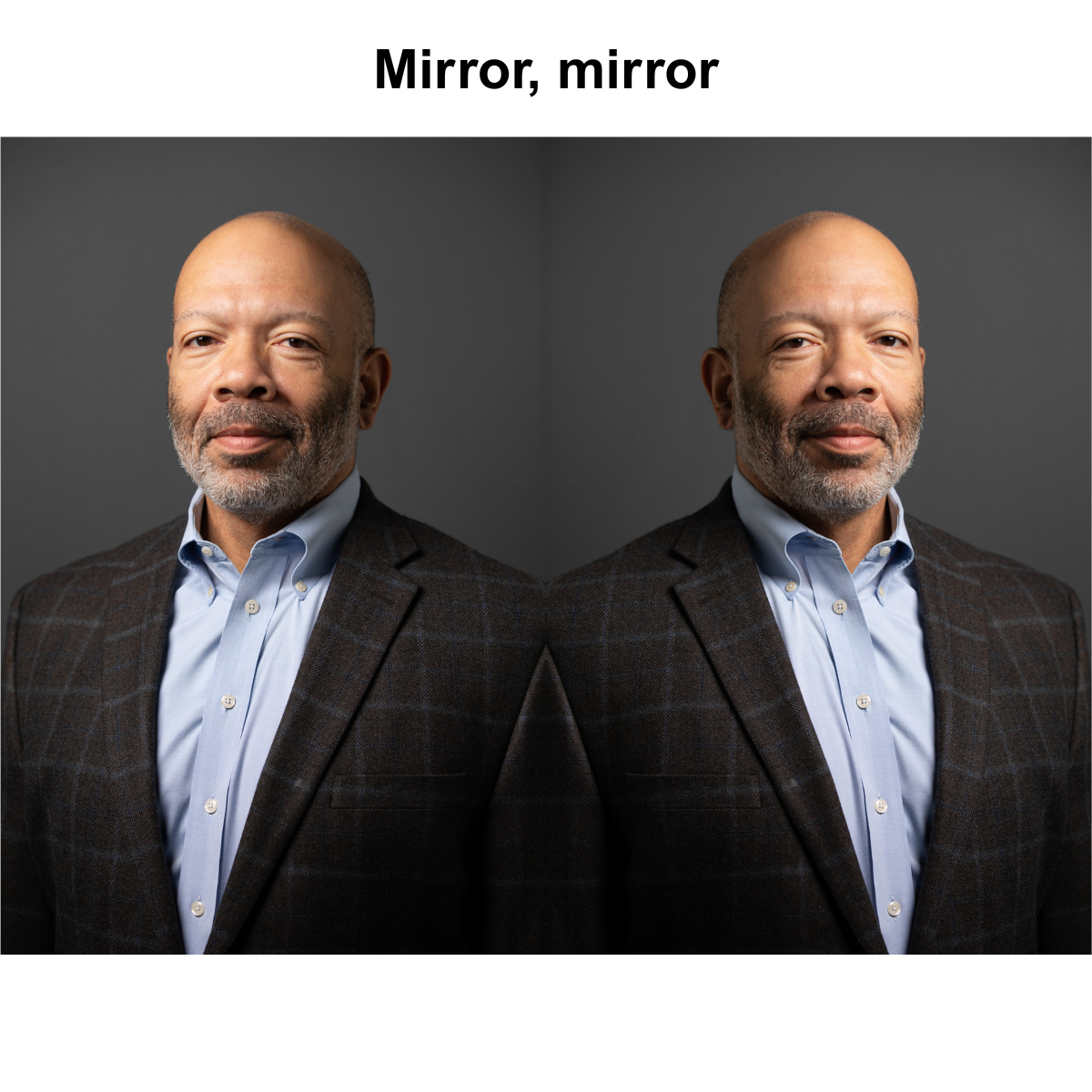
Zoom’s mirrored self-view leverages that familiarity to reduce discomfort and self-consciousness.
In other words: mirroring isn’t vanity, it’s cognitive load reduction.
The confidence loop most people don’t notice
Here’s what quietly happens when mirroring is ON:
- Your movements feel natural
- Gestures align with intention
- Facial expressions feel “right”
- You stop micro-correcting yourself
That frees up attention for:
- Listening
- Thinking
- Responding
- Leading
Turn mirroring OFF without a reason, and many people unconsciously start managing their appearance instead of the conversation.
When mirroring is the wrong choice
There are times when accuracy matters more than familiarity.
Turn Mirror My Video OFF if you are:
- Teaching or training
- Writing on a physical whiteboard
- Demonstrating tools or objects
- Using directional gestures (“this side,” “over here”)
- Wearing clothing with text meant to be read on camera
In these cases, you want your preview to behave like a broadcast monitor, not a mirror. The slight discomfort is the price of spatial precision.
A practical mental model
Ask one question before your meeting:
“Do I need comfort or accuracy?”
- Comfort → mirror ON
- Accuracy → mirror OFF
Neither choice is “more professional.”
They’re just different tools.
One advanced tip for presenters
If you’re on camera and sharing slides:
- Leave mirroring ON
- Do not point at your screen
- Use Zoom’s annotation tools or cursor highlights
You preserve natural body language and maintain clarity for the audience. This is one of the easiest upgrades to on-camera authority.
Why this matters more than it seems
Video fatigue, camera anxiety, and “Zoom presence” aren’t solved by lighting alone. They’re often solved by removing tiny sources of friction that drain attention.
Mirror My Video is one of those levers.
Small setting.
Real psychology.
Noticeable difference in how you show up.
If you want, this pairs well with a broader Zoom Confidence Checklist for facilitators, trainers, and speakers — the kind of thing that prevents issues before they become distractions.
Reference
Mita, T. H., Dermer, M., & Knight, J. (1977). Reversed facial images and the mere-exposure hypothesis. Journal of Personality and Social Psychology, 35(8), 597–601.
Feel free to share this newsletter with a friend struggling with virtual events.
My company is Calm, Clear, Media. I produce purpose-driven virtual events for nonprofits and member organizations. I don’t just manage Zoom calls; I create experiences that reflect your mission and engage your audience. My job is to make sure everything runs smoothly so my clients can focus on impact.
#VirtualEvents #CoHost #Engagement #TechSupport #Professionalism #Teamwork